
Download Paint by Numbers – Fun Children’s Learning Aid, Educational Colour‑by‑Number App
Overview
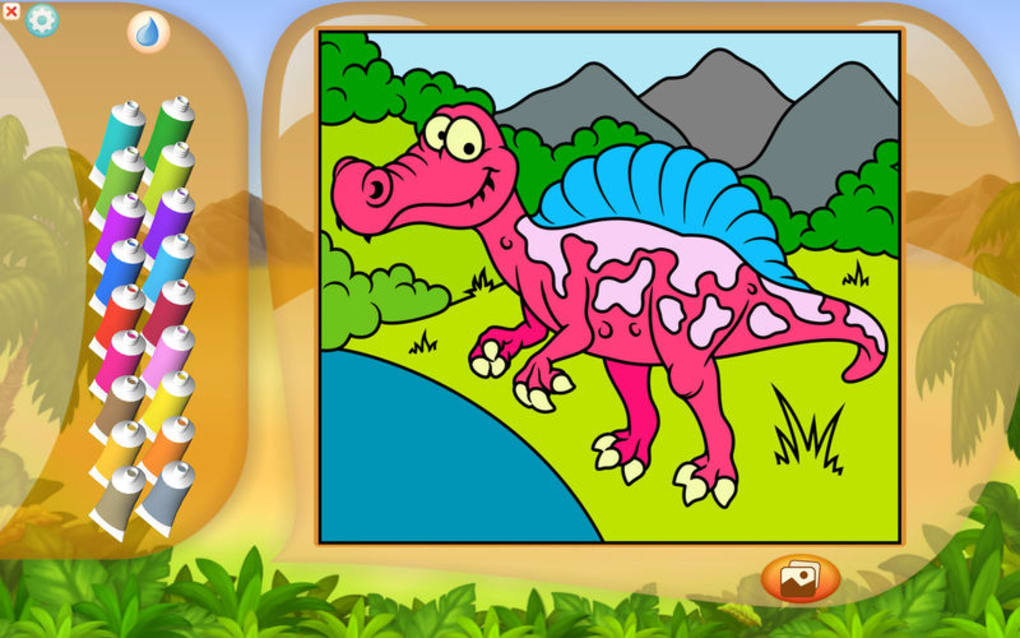
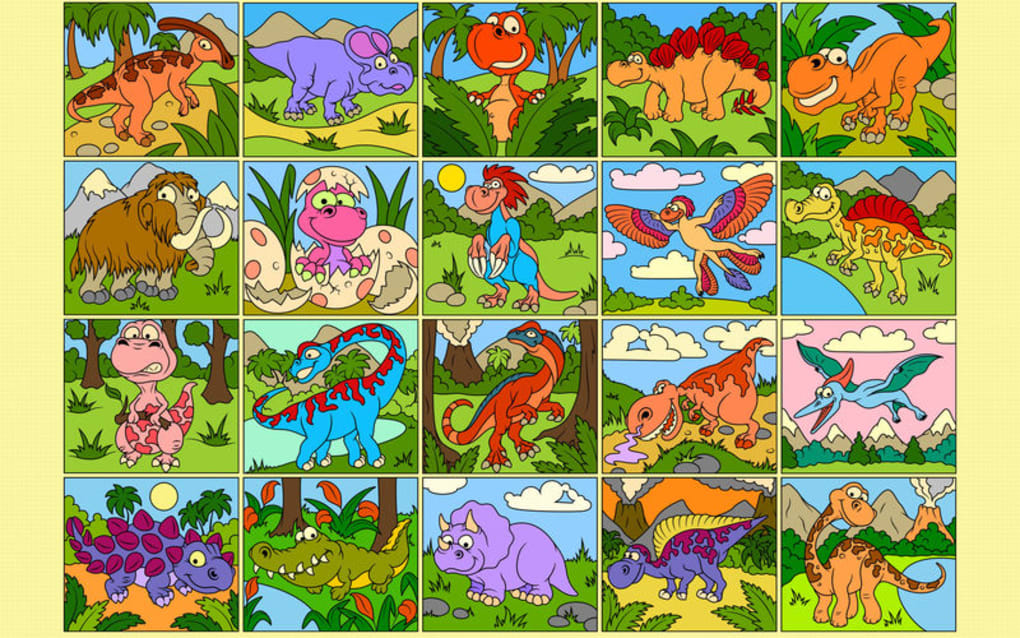
Paint by Numbers is a delightful educational app designed especially for kids who love dinosaurs, colours, and puzzles. The app blends the classic colour‑by‑number concept with simple arithmetic challenges, turning every picture into a learning adventure. Children select a colour, but before the bucket fills the space, they must solve a tiny math problem that reveals the correct number. The result is a vibrant illustration of a dinosaur, a jungle scene, or an alphabet‑based picture, all created with a tap of a finger.
The interface is bright, kid‑friendly, and filled with cheerful background music that keeps young learners engaged. Audio cues celebrate correct answers, while gentle sound effects guide them when they need a hint. One of the most exciting features is the “colour by letter” mode, which helps children associate letters with colours, reinforcing early literacy alongside numeracy.
Paint by Numbers also offers a custom colour palette, allowing kids to personalize their artwork. Parents can switch between preset palettes or let their child experiment with any hue they desire. Although the UI is intentionally simple, a few hidden gestures—like holding the paint bucket to open the palette—can be tricky for the smallest hands, especially on compact screens. Nevertheless, the app’s educational value far outweighs these minor usability quirks.
Overall, Paint by Numbers is more than just a colouring book; it’s a free, secure, and regularly updated learning tool that encourages children to practice addition, recognise letters, and develop fine motor skills while having fun. Whether you’re looking for a safe iOS or Android app to keep kids entertained on a rainy day or a supplemental classroom resource, Paint by Numbers delivers a balanced mix of play and education.
Key Features and Benefits
- Colour‑by‑Number puzzles with dinosaur, animal, and alphabet themes.
- Integrated arithmetic challenges: solve a sum to unlock the correct colour number.
- “Colour by Letter” mode for early alphabet learning.
- Custom colour palette creation for personalized artwork.
- Soothing background music and celebratory sound effects.
- Kid‑friendly UI with large icons and simple navigation.
- Free download with optional in‑app purchases for additional puzzle packs.
- Regular updates that add new puzzles, themes, and bug fixes.
- Secure data handling—no ads, no tracking of personal information.
Pros
- Combines creativity with basic math, reinforcing classroom concepts.
- Visually appealing graphics that capture children’s imagination.
- Audio feedback provides instant encouragement and keeps motivation high.
- Custom palette encourages experimentation with colour theory.
- Lightweight app that runs smoothly on both older and newer devices.
Cons
- Precise selection can be difficult on very small screens.
- Hidden gestures (e.g., long‑press for palette) are not obvious for all ages.
- Limited number of free puzzles; additional packs require purchase.
- No built‑in progress tracking for parents beyond completed puzzles.
- Alphabet mode currently offers only English letters.
From an educational standpoint, the app’s dual‑focus on numeracy and literacy makes it a valuable addition to any child’s digital toolbox. The colourful dinosaur illustrations are especially engaging for kids aged 4‑8, while the arithmetic layer introduces a gentle challenge that promotes problem‑solving confidence. Parents appreciate the ad‑free environment, and teachers can use the free puzzle sets as quick classroom activities or homework assignments.
Installation, Usage & Compatibility
Getting Paint by Numbers up and running is straightforward. Follow these steps for a smooth installation on your device:
- Open the App Store (iOS) or Google Play Store (Android).
- Search for “Paint by Numbers – Fun Children’s Learning Aid”.
- Tap “Get” or “Install”. The app is free, and the download size is under 50 MB.
- Once installed, launch the app from your home screen.
- Grant the optional permission to access device storage if you want to save completed artwork to your gallery.
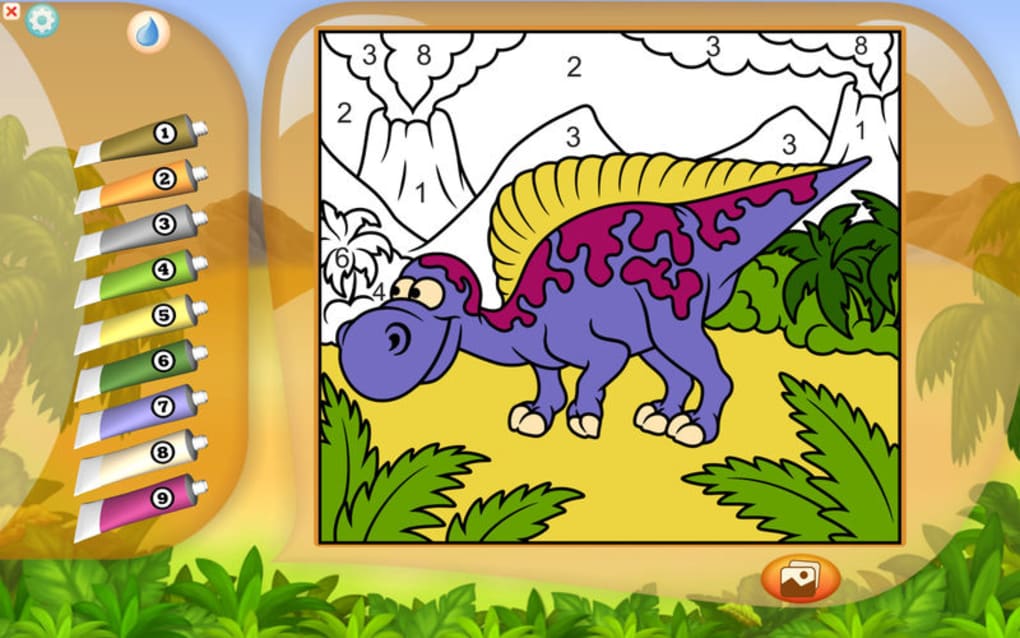
When the app opens, you’ll be greeted by a colourful home screen showcasing the available puzzle categories: Dinosaurs, Animals, Alphabet, and “My Own Palette”. Tap a category to view the list of puzzles. Selecting a puzzle displays a faint outline of the image with numbered sections. The first step is to solve the displayed arithmetic problem (e.g., “3 + 2 = ?”). Enter the answer using the on‑screen keypad; if correct, the corresponding number lights up, and you can tap the paint bucket to fill that region with your chosen colour.
For the custom palette, simply press and hold the paint bucket icon. A hidden panel slides out, revealing colour sliders and a “Save Palette” button. Children can mix primary colours to create any hue they like, then apply it across multiple sections. The “Colour by Letter” mode works similarly, but each section is labelled with a letter instead of a number. Solving a quick phonics clue (e.g., “Which letter starts ‘Apple’?”) unlocks the colour.
Paint by Numbers runs on iOS 11 or later, Android 5.0 (Lollipop) and up, and is optimized for tablets and smartphones alike. The UI scales gracefully on larger screens, providing more space for precise selection. While the app performs well on most modern devices, users with very small screens (under 4 inches) may find the touch targets a bit cramped, especially when trying to fill tiny sections.
Updates are delivered automatically through the respective app stores. Each update typically includes new puzzle packs, bug fixes, and performance enhancements. The developer also monitors user feedback, adding tutorial pop‑ups for hidden gestures when enough requests are received.
Frequently Asked Questions
Is Paint by Numbers safe for children?
Yes. The app is ad‑free, does not collect personal data, and complies with COPPA guidelines. All content is curated for ages 4‑8, and parents can enable a passcode lock for in‑app purchases.
Can I use the app offline?
After the initial download, all free puzzles are stored locally, so children can colour and solve math problems without an internet connection. Additional puzzle packs must be downloaded while online.
How does the arithmetic component work?
Each numbered section is tied to a simple addition or subtraction problem appropriate for early learners. Solving the problem reveals the correct number, which then unlocks the colour bucket for that region.
Is there a way to track my child’s progress?
The current version does not include a detailed progress dashboard, but completed puzzles are saved in the “My Gallery” section, allowing parents to review finished artwork and infer skill development.
What languages does the app support?
Paint by Numbers is available in English. Future updates may add support for additional languages based on user demand.
Conclusion & Call to Action
Paint by Numbers successfully merges creative expression with foundational math and literacy practice, making it a standout choice for parents, educators, and young explorers. Its vibrant dinosaur themes capture children’s imagination, while the built‑in arithmetic challenges reinforce classroom concepts in a low‑pressure environment. Though a few usability quirks exist—particularly on very small screens—the overall experience is polished, secure, and free of intrusive ads.
For families seeking a safe, engaging, and educational app that encourages both artistic and analytical thinking, Paint by Numbers is a top recommendation. The free version already offers plenty of content, and the optional puzzle packs provide a scalable way to grow with your child’s abilities.
Ready to bring colour and numbers together for your little learner? Download Paint by Numbers now from the App Store or Google Play, start a puzzle, and watch your child’s confidence blossom with every solved sum and colourful masterpiece.
A fun, educational, and ad‑free colouring app that teaches basic arithmetic through engaging dinosaur puzzles. Minor UI quirks on small screens, but overall an excellent learning aid.







